
Event Photo Preview Software - Version 2.3.0
Transform your event photography with Clear-Mark Preview. Monitor folders for new photos, display them instantly on a secondary monitor, and print photo codes with EPSON receipt printers-all in a seamless, user-friendly package.
Download Now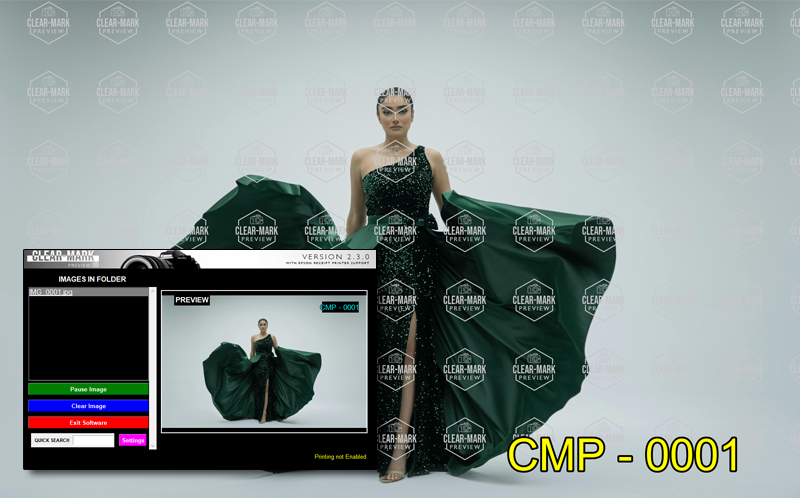
Automatically detect and display new photos from a watched folder on a secondary monitor. Supports customizable background colors, watermarks, and EXIF orientation correction for perfect presentation.
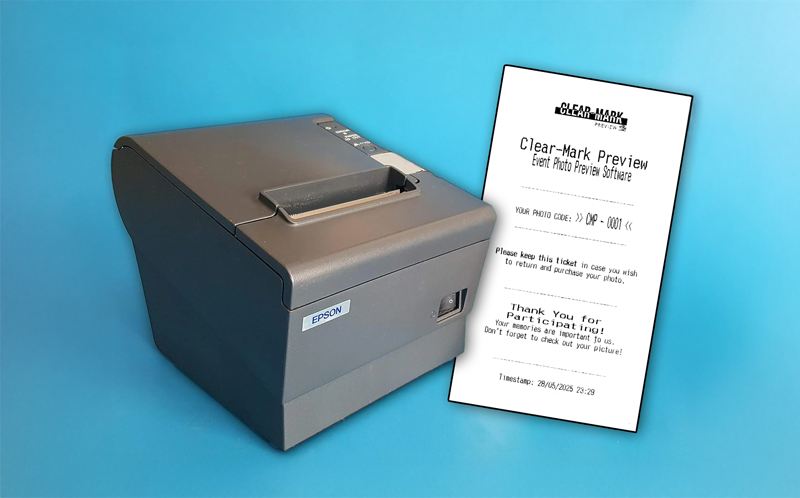
Print photo codes on receipts using EPSON network printers. Includes a customizable template with logo support, timestamps, and formatting options for professional output.
Use ESC/POS Commands in an easy to understand template format to style and customise your Receipts!
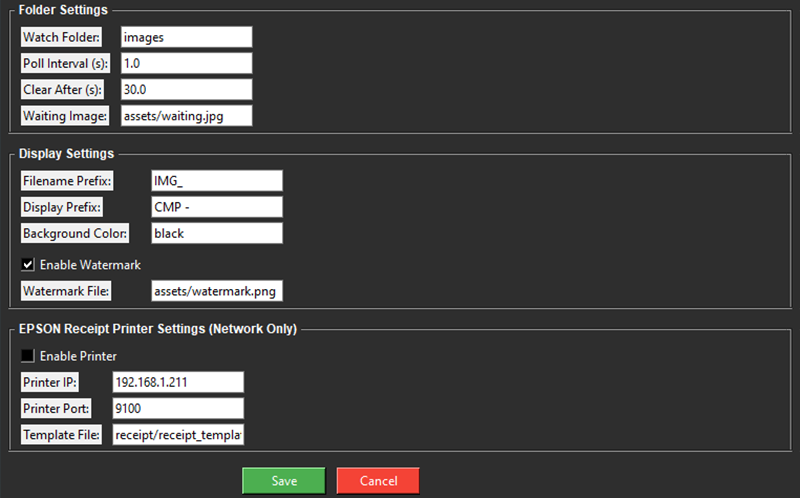
Easily adjust settings via an intuitive UI. Configure folder monitoring intervals, image clearing timers, watermark options, printer settings, and more—all saved in a simple XML file.
You can also edit the Receipt Template, Receipt Logo, Watermark & Waiting Image to suit your particular use-case!
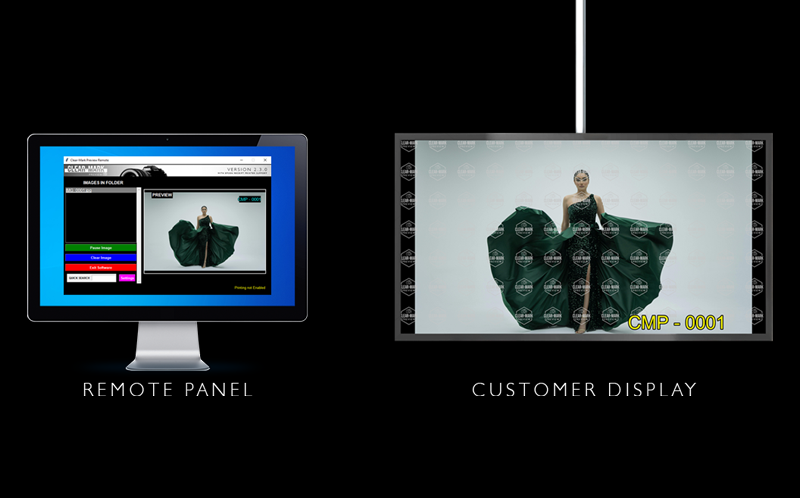
Display images in fullscreen on a secondary monitor while controlling the software from the primary screen. Toggle between fullscreen and windowed modes with ease.
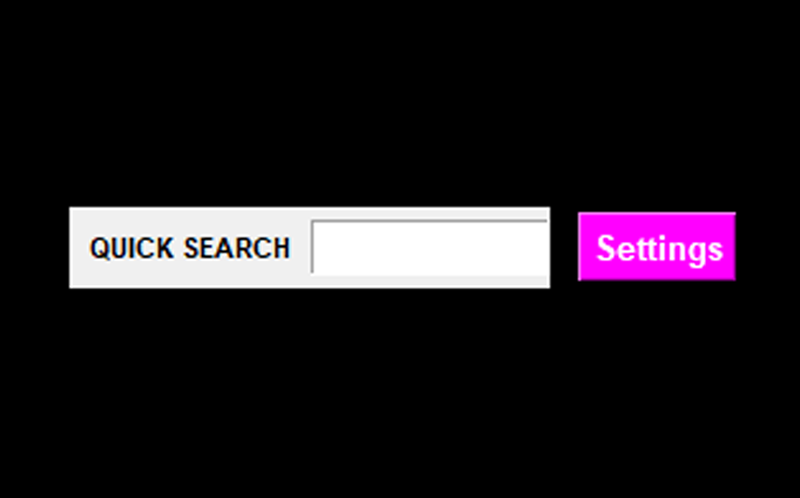
Search for specific images using photo codes with the quick search feature. Instantly display matching photos from the watched folder for efficient event management.
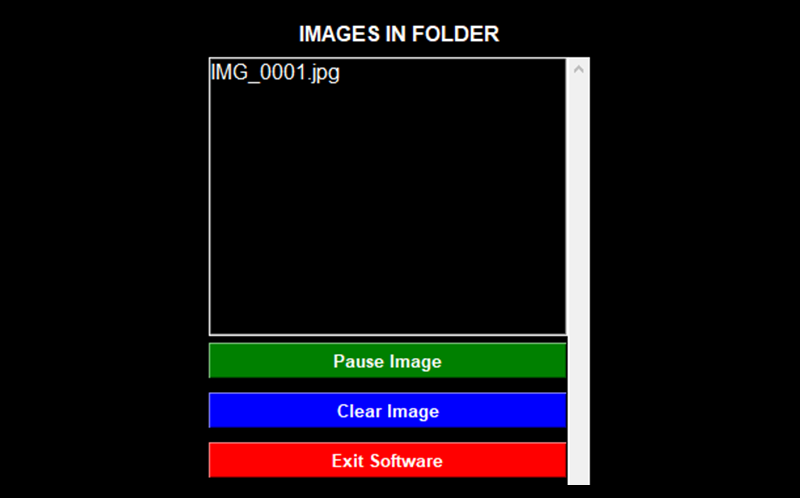
Pause or clear displayed images manually. Set automatic clearing intervals to keep the preview fresh, with a flashing pause button for visual feedback.
Configure Clear-Mark Preview to monitor a folder where your camera will save photos. Adjust the polling interval and clearing time in the settings to suit your event's pace.
As new photos are saved to the folder, Clear-Mark Preview detects them and displays them instantly on a secondary monitor. Add optional watermarks and a label prefix to personalise the display.
Connect an EPSON Network receipt printer (optional) to print photo codes for attendees. The receipt includes a unique code, timestamp, and custom message, making it easy for guests and staff to retrieve photos.
Use the control panel to pause, clear, or search for specific images. Monitor printer status in real-time and adjust settings as needed without interrupting the workflow.
Note: If you do not require the use of a receipt printer, please disable this in the settings. The software runs much better and more reliably with the setting disabled if a printer cannot be reached.
Printer Notes: This software uses ESC/POS commands to drive an Epson Receipt Printer, so no print drivers are required. Only Epson Receipt Printers with network modules currently function.
"Clear-Mark Preview truly proved itself at out annual Summer Fete event! It was perfect for showing families the photo we'd taken. Fantastic!"
- Karan A.
Event Photographer & Photo Store Owner
"I just couldn't seem to find another solution. The ability to customize watermarks and control the display on a second monitor is fantastic. It’s easy to set up and reliable for large events. If it works, it works!"
- Lewis A.
Events Photographer
Please consider donating to the project.
Ready to enhance your event photography? Download Clear-Mark Preview Version 2.3.0 and start previewing and printing with ease.
Requirements: Windows 10 or higher, Network based EPSON receipt printer (optional), Secondary monitor highly-recommended.
Please Note: This software was created with Python, and compiled with Auto-Py-To-Exe.
Executables compiled with Auto-Py-To-Exe are known
to trigger false positives with Windows Defender and other Antivirus software.
If this happens, you'll need to an an exception in your Antivirus software or in Windows Defender to allow
the software to run. The executable provided is not signed!
The software is perfectly safe to run. Here's the Virus Total result of 13/71 detections. I'll let you make up your own mind.
Download Version 2.3.0